Payments/Remittance Advice

Vendors have 2 options for viewing their payment/remittance advices.
- BuildBase Portal
E-Mail Configuration
Vendors can supply their builder partner with a single e-mail address to receive their payment advices to.
The email will be sent by BuildBase from the email noreply@alerts.mybuildbase.com
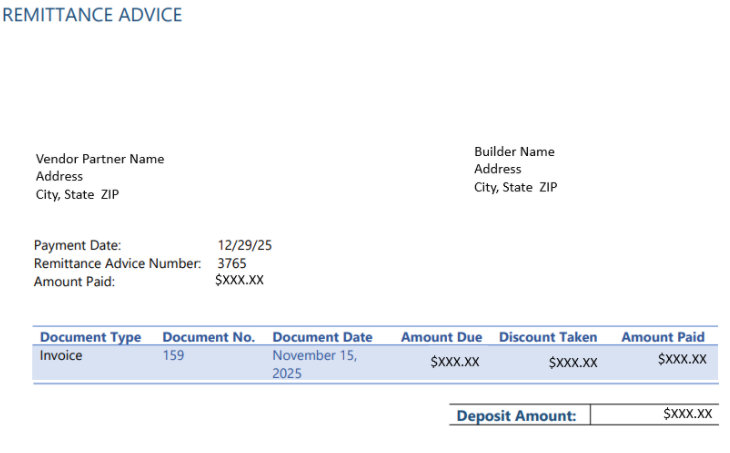
The content of the email will be clearly state that this is the REMITTANCE ADVICE and the vendor and client this remittance advice is for. Additionally, there will be an attached PDF document with the details of the remittance that will look like the following
BuildBase Portal
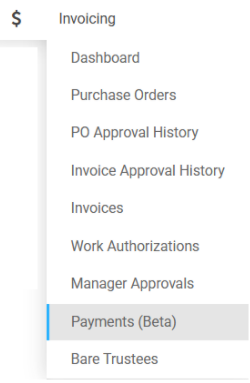
All payment/remittance advices can be located in the BuildBase portal. To access the payments screen, click on invoicing from the left hand menu and the select payments
This will open up the payments/remittance advices list. From this list, you can perform the following actions
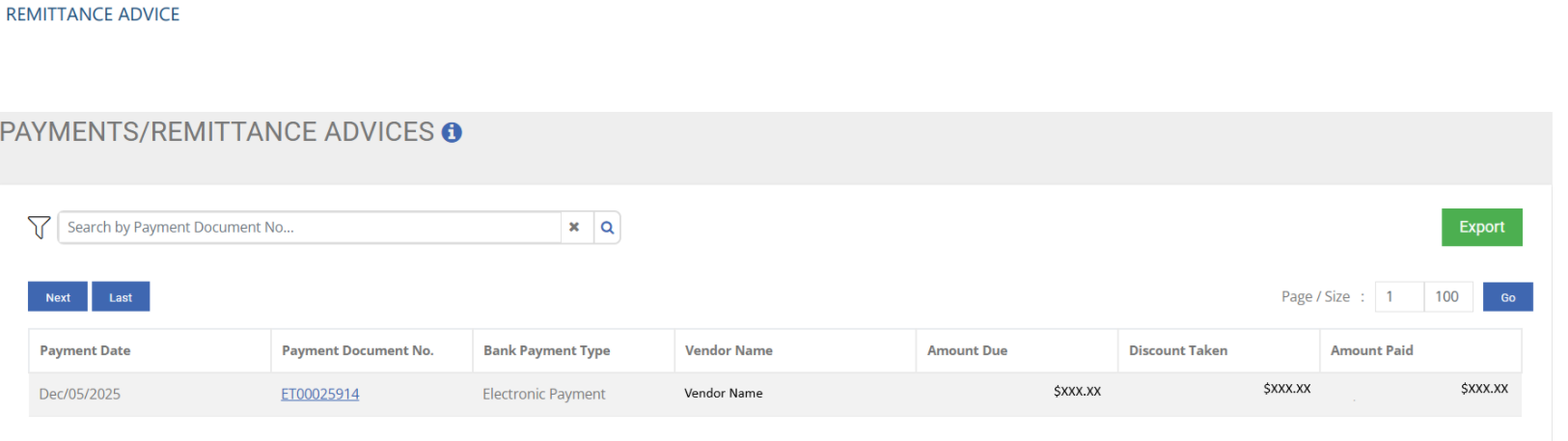
- Search or filter for the advice you are looking for
- Export the list to excel
- Click on the Payment Document No to open up the details of the payment advice
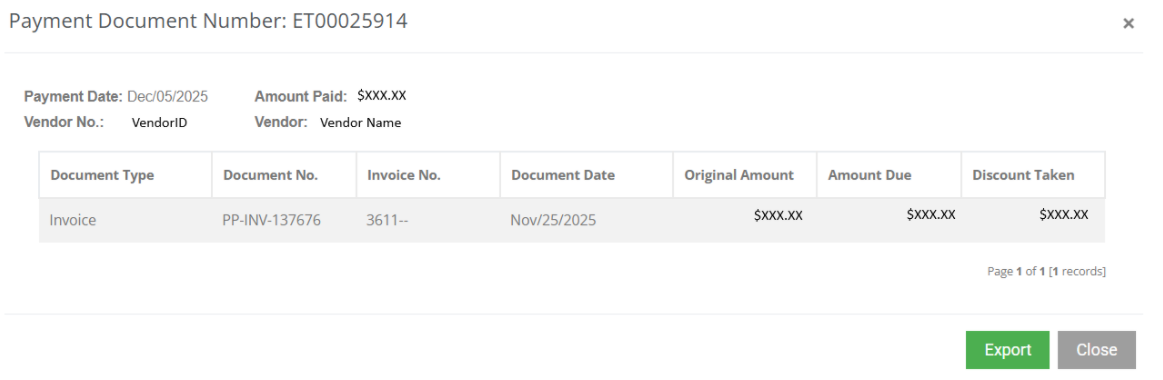
Payment Detail
The payment detail screen will list the details of the payment including the amount, invoice number and and discounts applied.