User Roles

What are Roles in BuildBase?
Roles are specific designations given to each user and should align with job title/position/responsibilities within the company.
Roles help identify the operational access each user needs in BuildBase. Prior to creating roles for your company, we must first identify your needs.
The BuildBase Team will assist you in this process but, here are some examples to get you started:
Internal Roles:
- Starts Admin
- Scheduling Manager
- Purchasing Manager
- Purchasing Agent
- Estimator
- Assistant Superintendent
- Superintendent
- Lead Superintendent
- Area Construction Manager
- Division Construction Manager
- Sales Agent
- Area Sales Manager
- Division Sales Manager
- Design Studio Manager
- Design Studio Consultant
External:
- Vendors who get all plans
- Vendors who get site plans and exterior items
- Vendors who get mechanical, electrical, plumbing items
- Realtors
- Lawyers
Some additional things to consider when creating roles:
- Keep it simple, start with all the job titles in your organization
- Remember that a user can have multiple roles assigned. For example:
- Tom is the starts manager and works with permits, plans, and construction starts.
- We would assign him the “Starts Admin Role”
- Tom also assists the purchasing department with data entry for new plans but the Purchasing Manager does not want Tom to have full access.
- We would assign Tom the “Purchasing Agent Assistant” role.
Again, the best practice here is to avoid creating hybrid “one off” roles. Discuss the roles needed with each of your team members to determine what will work best for your business both today and in the future.
Roles define what a user can do.
Workgroups define where a user can do it.
Operations define the access and actions within roles.
Fun Facts:
- Every user must be assigned a role or roles
- Every user must be assigned to at least one workgroup
- Workgroups are assigned to users, not roles
- Operations are assigned to workgroups
- Each project or community must have a workgroup
If your organization is new to BuildBase, our team will review your needs and create custom roles to fit your company.
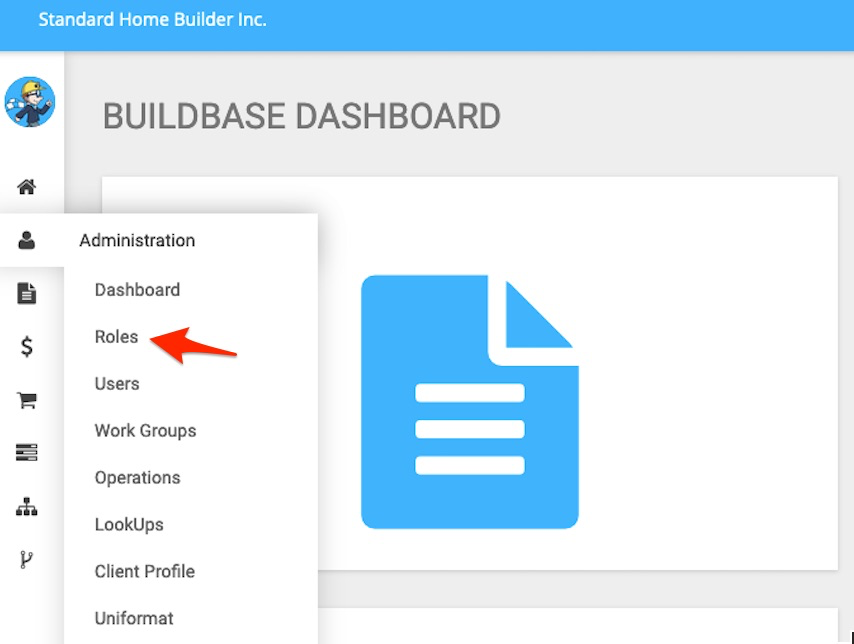
The Roles application is found in the Administration Module:
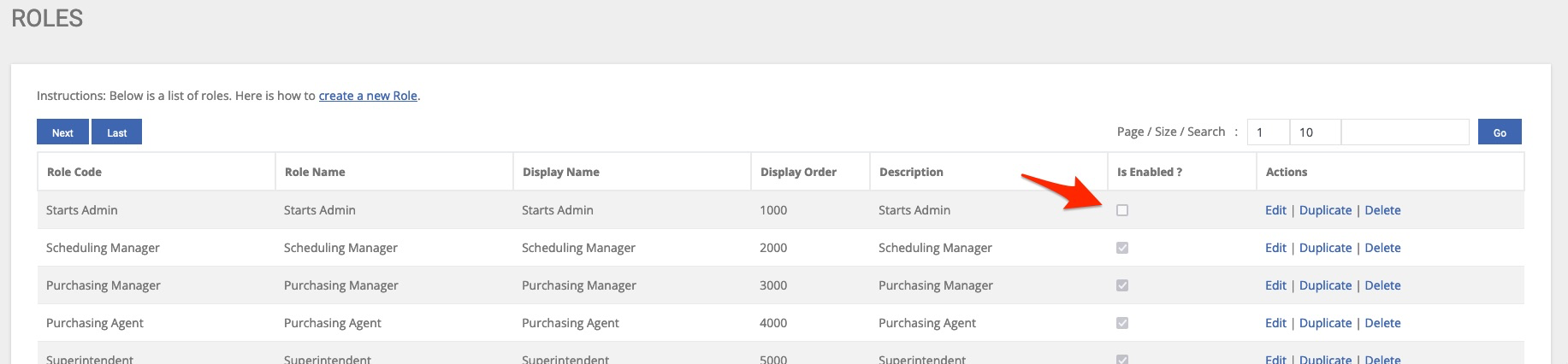
Here we see a list of all enabled and disabled roles:
A key feature to note when creating new roles is the ability to add an order number to each role.
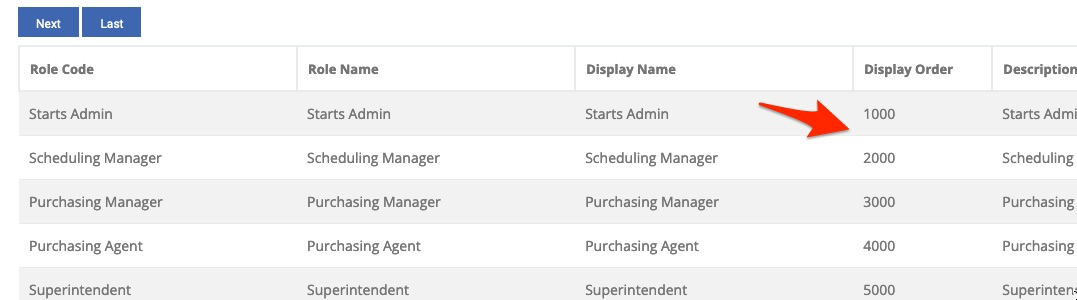
In this example, the user chose to number the display order by 1000. This is a great way to ensure that you can keep the desired order as you create new roles in the future.
We can view the next page of roles, or increase the number of roles displayed on this page:
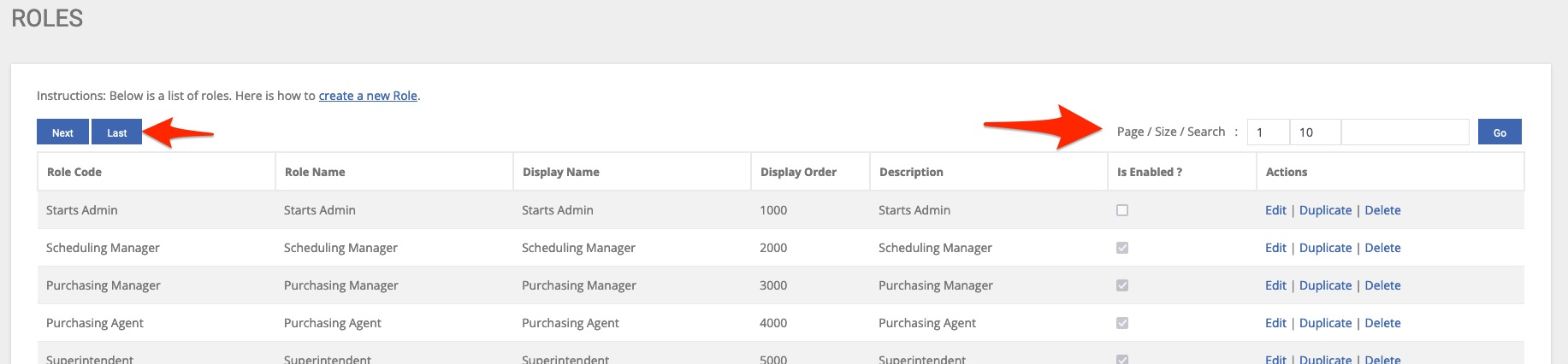
We can also search for a role by name:
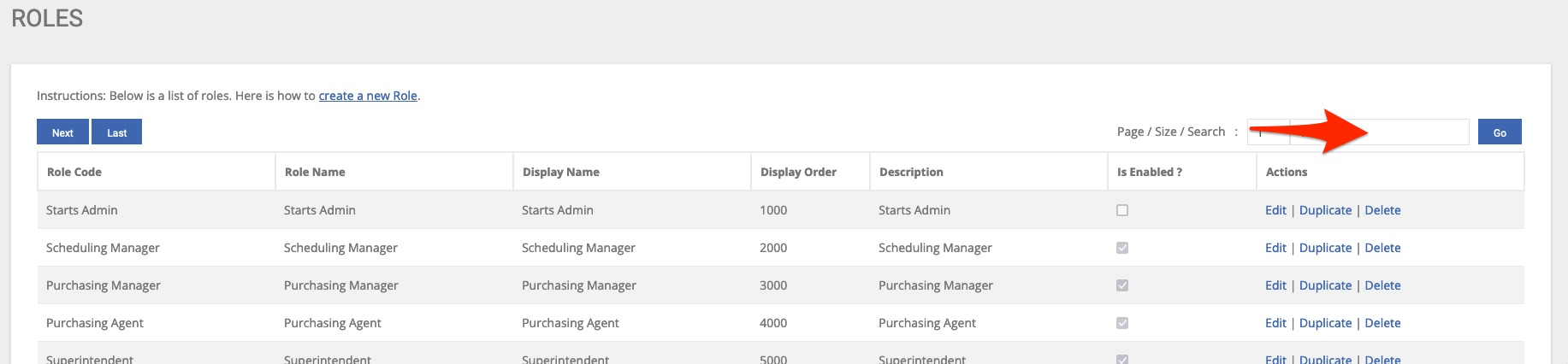
We can also create new roles in this application:
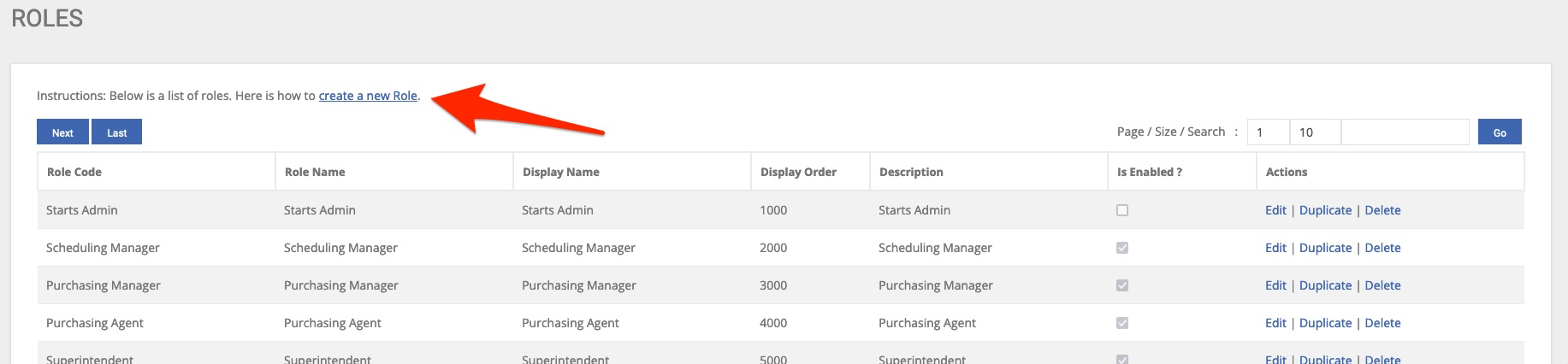
In this example we have determined that we need a new role for assistant superintendents. We start by clicking the “create a new role” link above.
We then simply add all the details for this role:
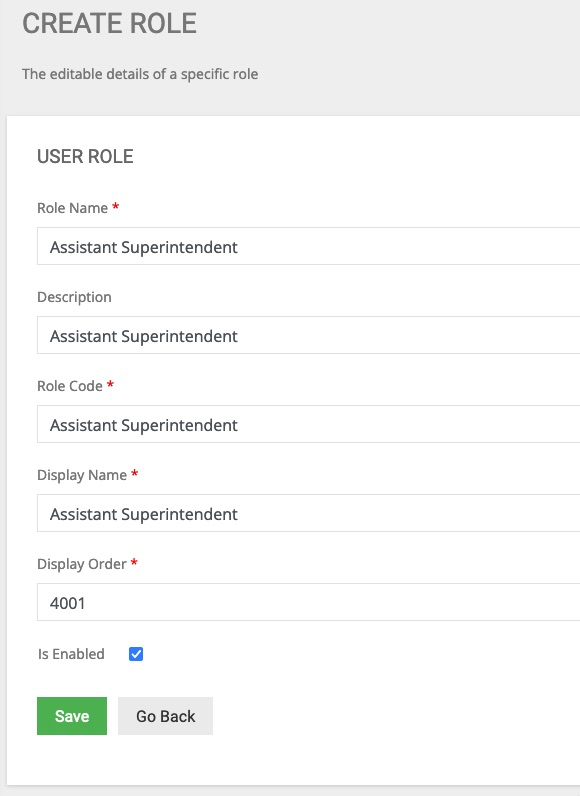
Notice that we have completed all required fields as notated by the red asterisk *.
Additionally, because we want this role to appear before the superintendent role, we have order it 4001. Once saved, we can now see our new role:
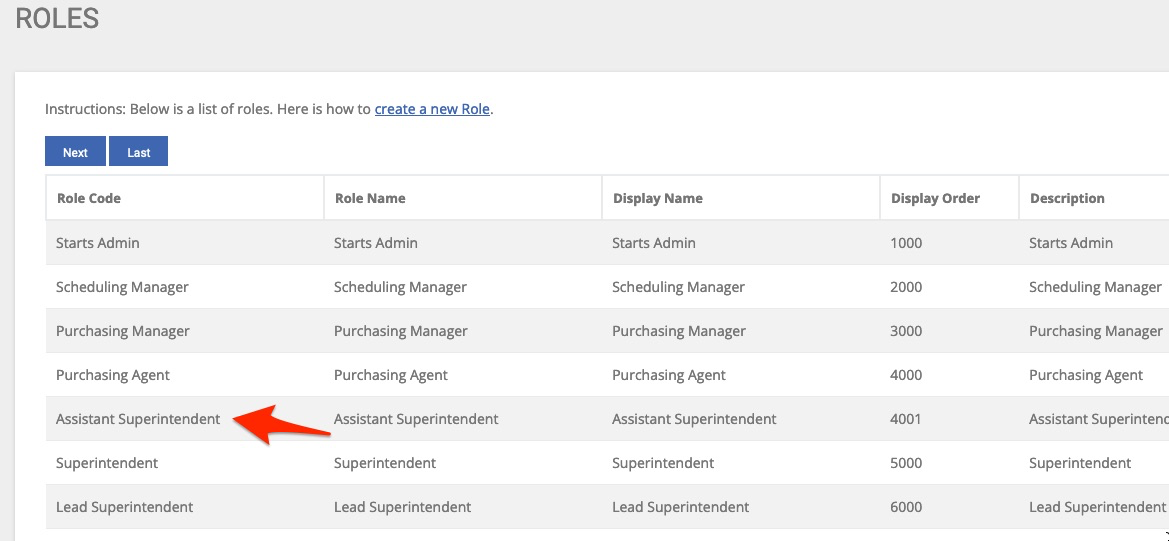
This application also includes some actions we can perform on existing roles:

Edit – Allows us to edit/add details as well as add users to the role
Duplicate - Allows us to “copy” or duplicate a role along with its current user and doc type assignment
Delete – Allows for a role to be permanently deleted provide no users are assigned
We will start by editing the role we just created in this example:

Here we see all the information we entered while creating the role:
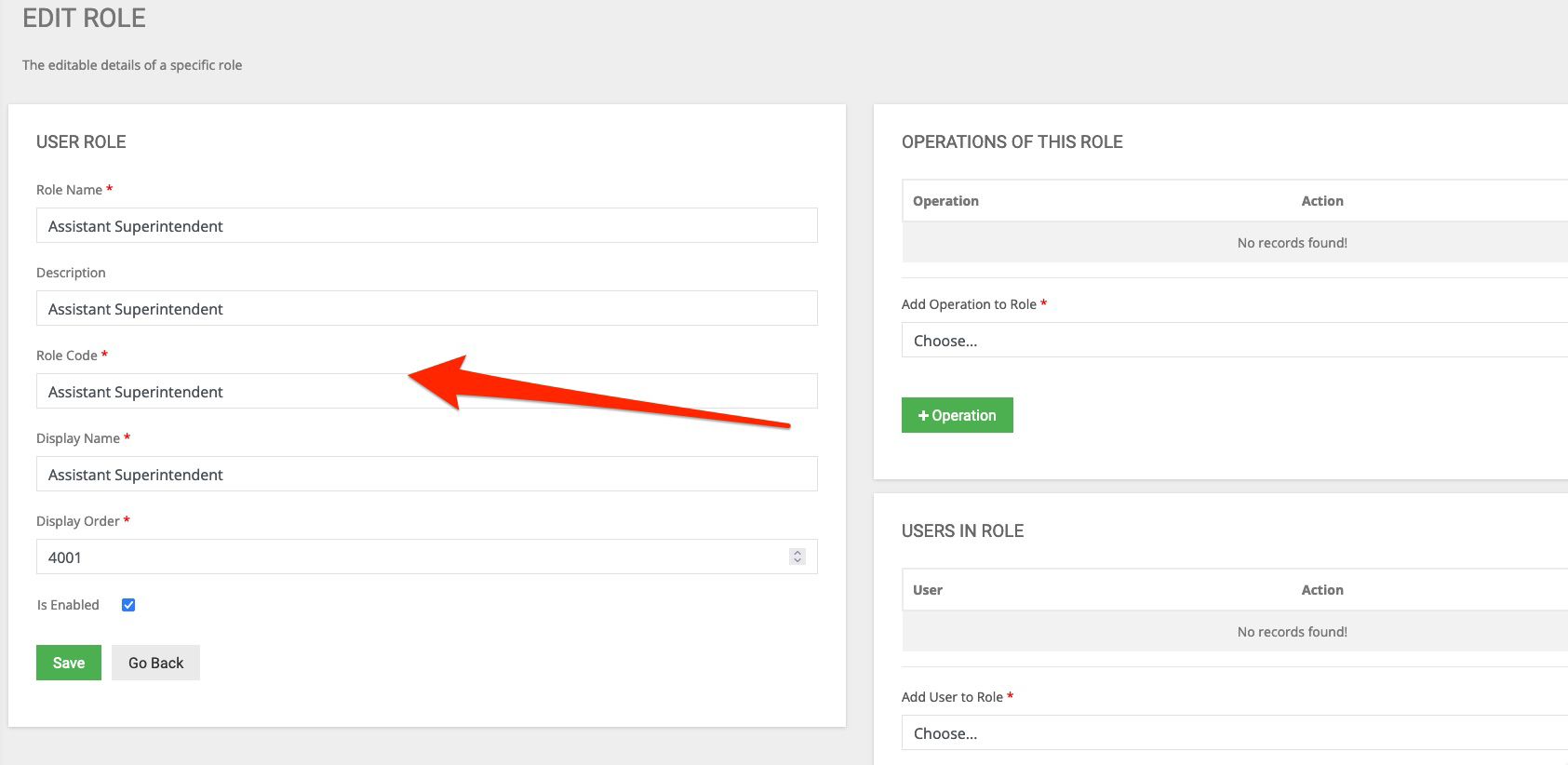
We can now modify as needed as well as enable or disable the role.
Additional options such as “Operations Of This Role” are available:
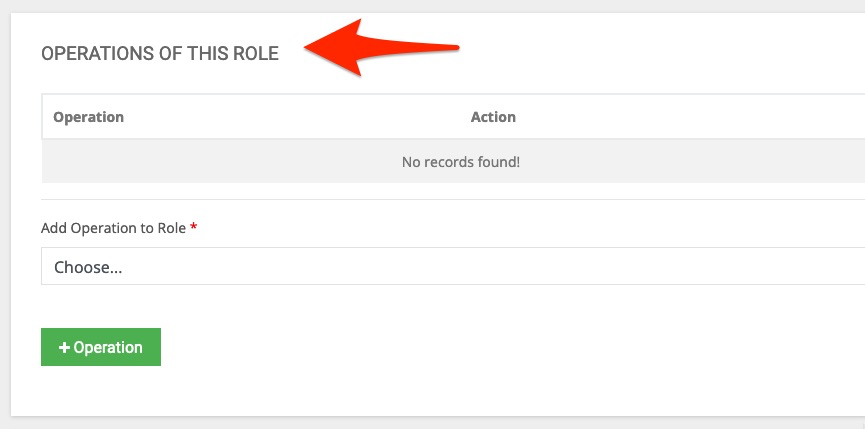
Here we assign all the operations this role will need. See guide on Operations.
It is also here that we assign this role to all desired users:
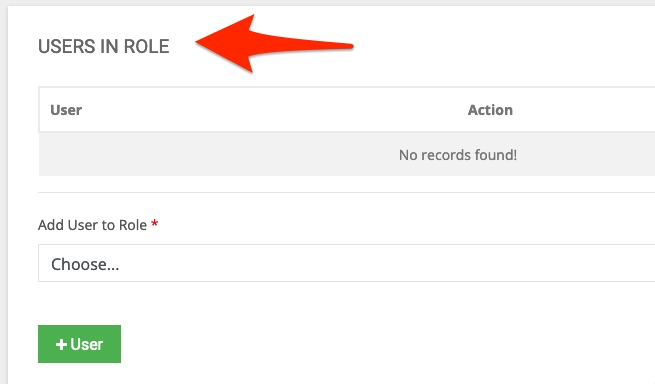
But don’t worry, the BuildBase Team will guide you through creation and setup of roles.