Unit of Measure

In terms of homebuilding, unit of measure refers to the type of measurement used to purchase materials and labor.
Some examples include:
- Square Foot
- Linear Foot
- Each
When apply costs to the items we purchase to build homes, unit of measure is important because without it, we would
not know the quantity of what we are purchasing.
Some simple examples of how we use Unit of Measure and how we may purchase items:
2X4X16 – Each
Granite Countertops – Square Foot
Fencing – Linear Foot
Unit of Measure is assigned to every item in Dynamics and is seen here in “Base Unit of Measure”:

But prior to assigning unit of measure to items, we must first create them. Here is how it is done:
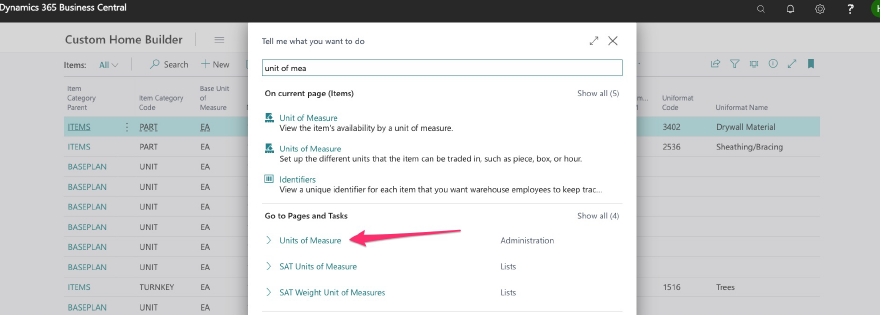
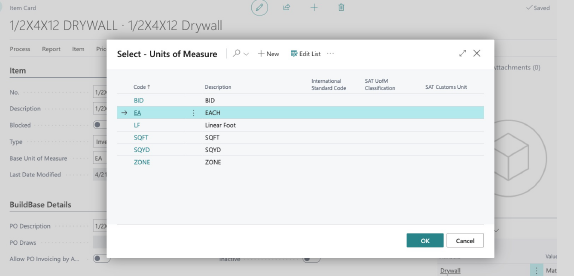
Here we see a full list of units of measure already created:
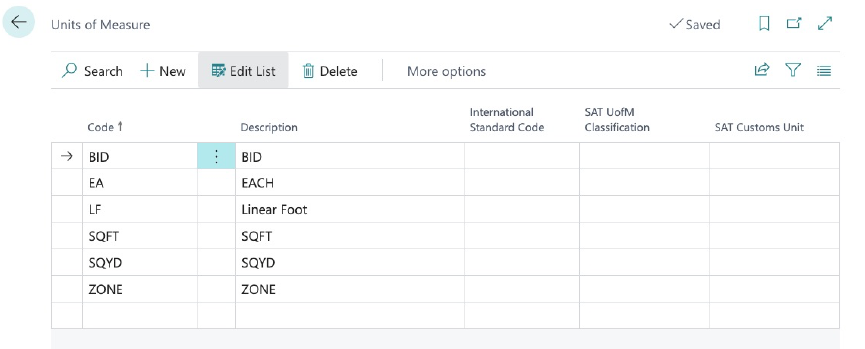
Additional units of measure may be added by selecting “NEW”:
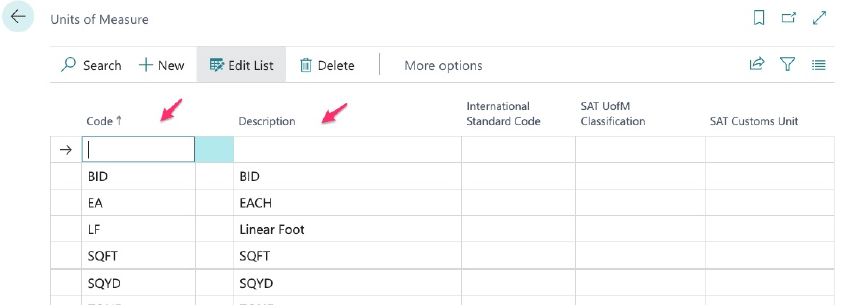
Then complete the code and description.
We can also add new units of measure directly from within an existing item:
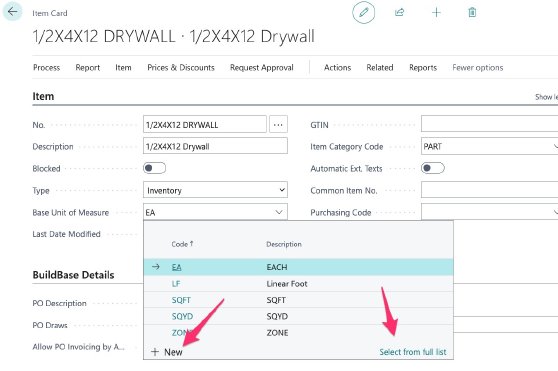
Here within my drywall item, I can click new to add a new UOM or, click select from list to get the full list and add more:
Units of Measure can always be added but it is a best practice to create all UOMs prior to initial item setup so that this field can be added at the time of item creation (save yourself a step).