Sales Regions

Navigate to the Configuration section within the sales module. From there, we will enter the Sales Region:
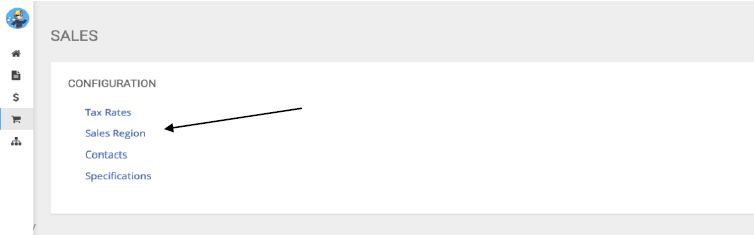
From there, you will (if the Region already exists), enter Edit under the Action options on the right side:

The next step will be selecting the already configured Sub Area from the Sub Area List that you would like to apply the templates to. If the area is new and needs to be created, go to Step 6 then revert once created.
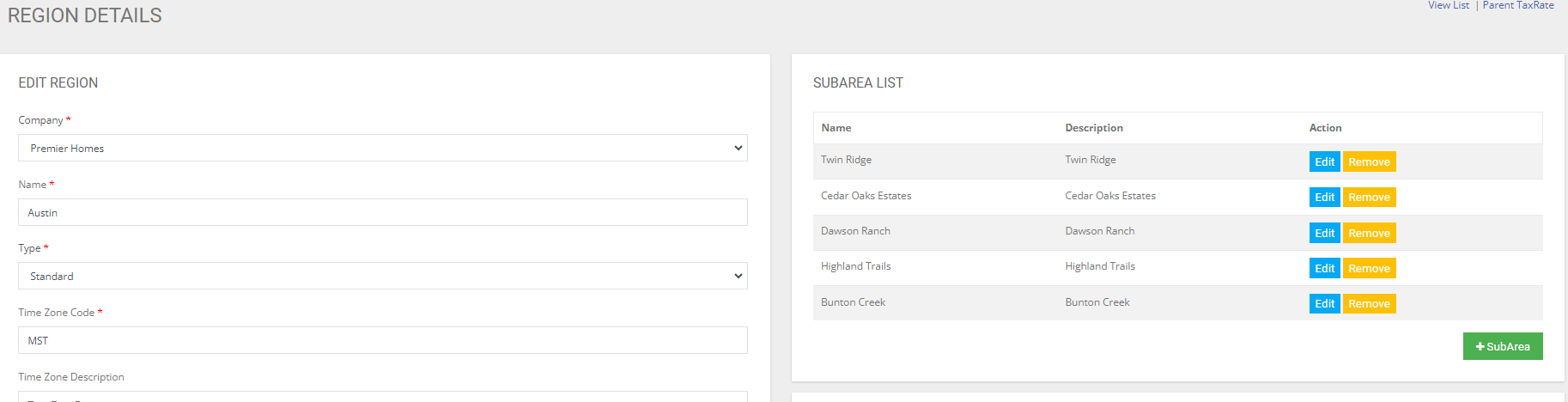
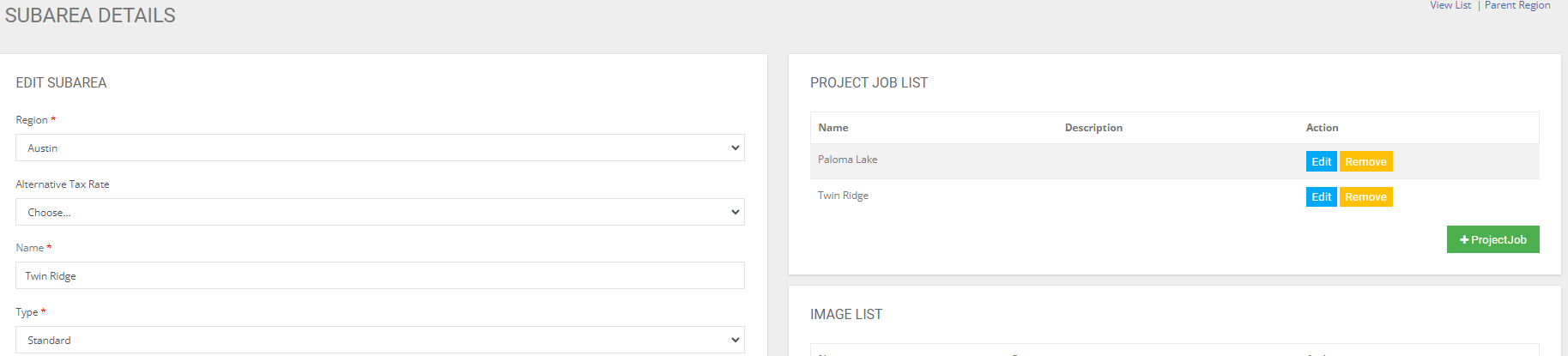
Edit the Sub Area to add a template option:
Within the Sub Area, you will need to navigate to the Project Job List. These projects should be created and are the projects that exists within the Sub Area. For example, in Twin Ridge, we can have Paloma Lake, Twin Ridge, etc. These all need to be configured within the Project Job List in the Sub Area. We will enter the Project Job List Project that we need to add the templates to by editing:
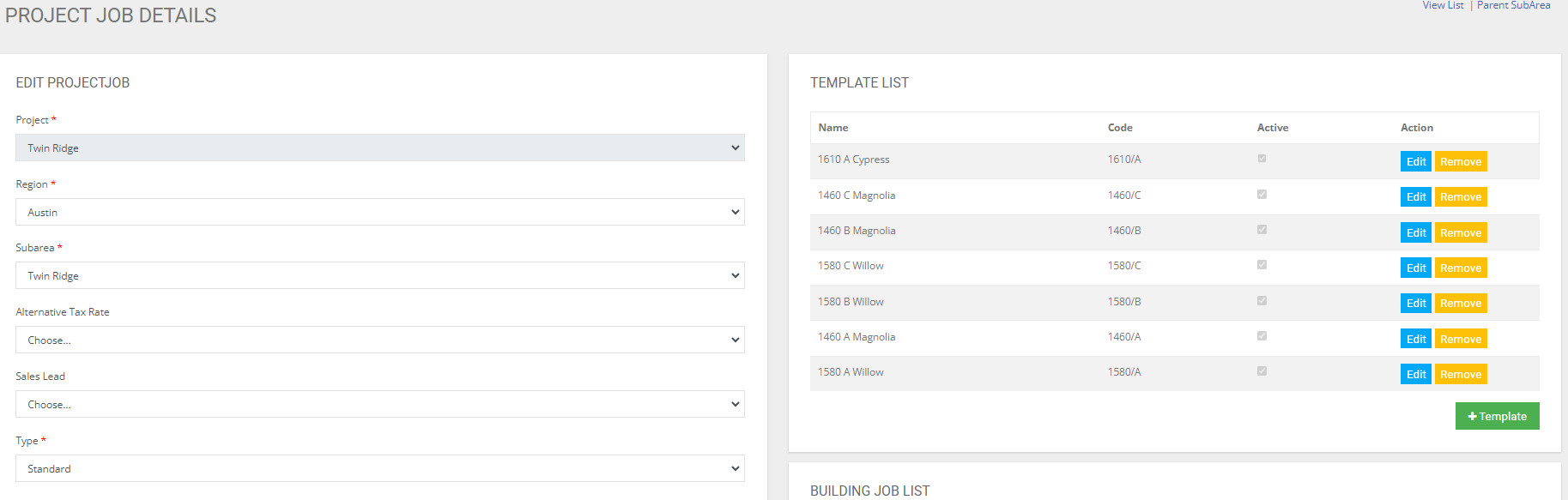
In the top right section, we find the Template List. This is the section in which we need to upload the applicable templates (BOTH UNIT AND SHELL LEVEL TEMPLATES). To add a template, select + Template and populate the required data and save. Once these templates are saved into the Project, you now will have them appear as selectable options when configurations lots in the Sales Dashboard Configuration. For configurations of lots in the sales dashboard please refer to another tutorial guide that
have been created. Some key points to remember are:
- Ensuring the correct ‘Type’ has been selected for the templates. If not, they will not appear in the correct locations on the dashboard when trying to assign models and shells to lots.
- The templates have been marked as ACTIVE and SELLABLE within the checkbox area at the bottom of the Base Template and Project Template.
- Ensuring all supporting documents and files are uploaded to the templates so the
website, MRH and our contracts are generating and populating with the required
and desired data/files.