Introduction
Administration
Vendors & Partners
Purchase Order Views
Submitting an Invoice
Construct Schedule
Task Notes for Vendors
Payments/Remittance Advice
Vendor Export POS
Project Management
Purchasing and Estimating
Invoicing
Items
Introduction To Items
Navigating Items
When to Create a New Item
Unit of Measure
PO - BoM on Purchase Orders
Cost Model - Budgets
Bulk Item Creation and Modification Tools
Items FAQ
Attributes
Item Costing & Primary Vendors
Classification Codes
Creating Styles/Pallets/Storyboards
Jobs/Projects
Non-Job Purchase Orders
Construct
Introduction To Construct
Apply a Schedule - Prepare
Manage Construction Templates
Construction Dashboard
Delay Notes
Undo Task
Plan - Assign Start Date
Subtasks and Worksets
Task Notes
Sales
Sales Document Configuration
Sales Model Template Configuration
Sales Regions
Update Upgrade/Option Pricing
Docs
Introduction to Docs
Uploading a Document
Configuring Categories and Types
Bulk Permission Assignment
Reporting
Warranty
Introduction to Warranty
Accessing and Navigating the Warranty Module
Dashboards
Reviewing and Triaging Warranty Requests
Creating Warranty Requests
Find and Manage Warranty Jobs
Managing Warranty Requests
Managing Deficiencies and Work Orders
Closing Warranty Requests
Accounting
- All Categories
- Purchasing and Estimating
- Invoicing
- FAQ - Invoicing
FAQ - Invoicing

The purchase order is showing nothing left to be received but there is no invoice pending approval.
Purchase Order Tab

On the invoice tab of the purchase order there are no submitted or processed invoices that would result in the remaining amount on the purchase order tab. This usually happens if there was a problem during the submit invoice process and you will only see a draft invoice, which should not impact the remaining amount on the purchase order.

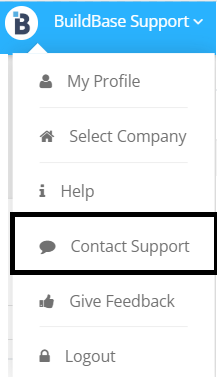
Resolution: Use the in-app support to submit a BuildBase Support Ticket to Unreceive the invoice.
Please include
- client code
- company code
- purchase order number
- invoice number (if applicable)
- Text that you would like the purchase order to be "Unreceived" so that the remaining amount is reset.
Failed to Submit Invoice: Please Contact [Builder] at Support@mybuildbase.com and reference
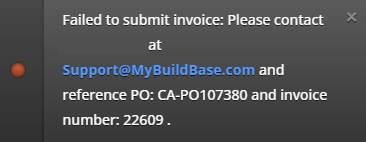
If the vendor gets the above issue when submitting an invoice, please check the following items
- The purchase order does not have any payment terms
- The purchase order does not have a classification code dimension
- The classification code for the item on the purchase order does not match the classification code for the item in the item library
- The invoice number might have been used during data migration, check the posted purchase invoice table