Changing Project Contacts

Part 1 of the BuildBase Guide takes you through the process of changing contact names in BuildBase for a given Projects: Construction Manager, Sales Representative, Production Coordinator, Lawyer, Project Manager, Site Superintendent & Assistant Site Superintendent. The data for these contacts pull into various locations for an internal and external contact source.
STEP 1 - Navigate to the ‘Project Management’ module of BuildBase.
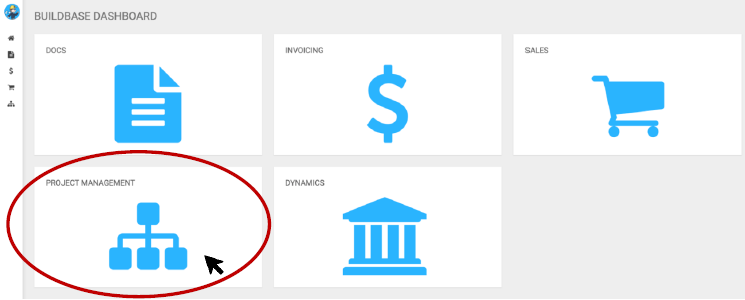
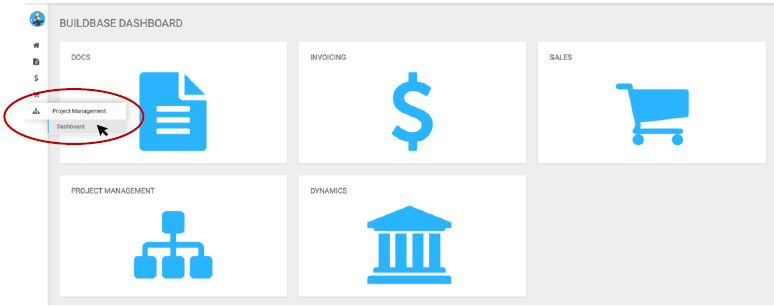
Select the Project Management (‘P.M’) module. Alternatively, you can access the P.M Module through the side-navigation bar. This is done by hovering your cursor over the Hierarchy icon, sliding your cursor over to the right and selecting ‘Project Management.’ From there, you will be provided a dropdown menu with different functions inside the P.M Module. Select on ‘Dashboard.’
STEP 2 - Navigate to the desired project you are looking to change contact name(s) for:
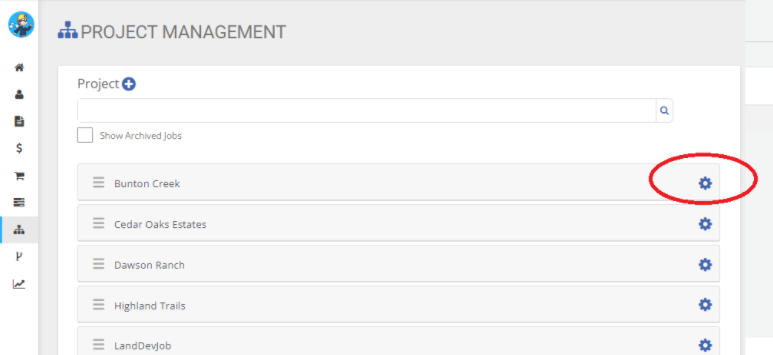
Scroll on the list to your desired Project, then select the gear icon.
Upon selecting the gear icon, more details will appear on the right side of the selected project.
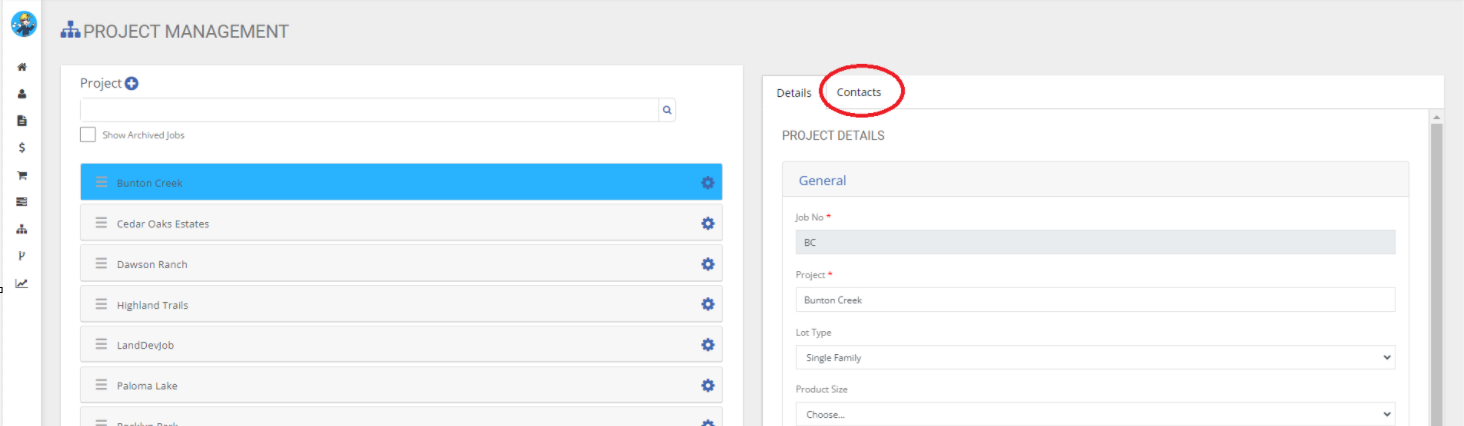
As shown above, select the ‘Contacts’ tab. You will be directed the area we will now update, remove or add various contacts for the selected project.
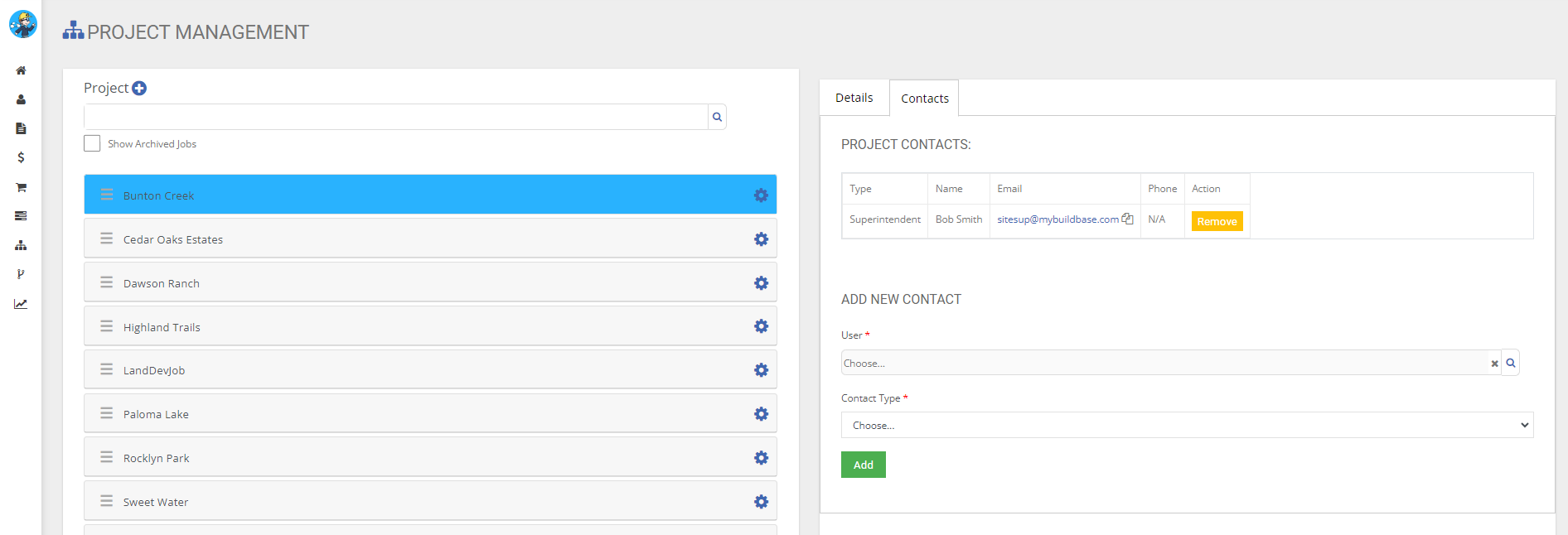
From here, you have multiple options. You can:
- Remove a current contact. This is done by selecting the orange highlighted Remove action button.
- Add a new contact. Adding a new contact is done by selected a ‘User’ from the ‘Choose…’ search bar. This list of users that will appear are users with an Active BuildBase Account. After selecting a user, you can assign their ‘Contact Type.’
We have now successfully added a contact and their assigned Type.
STEP 3 - Setting up phone numbers
Users must set up their own contact phone number, it can be done as shown below:

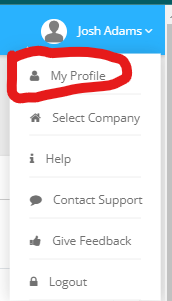
Select the user drop down arrow to the right of the user’s name. A menu will appear.
From there – select ‘My Profile.’
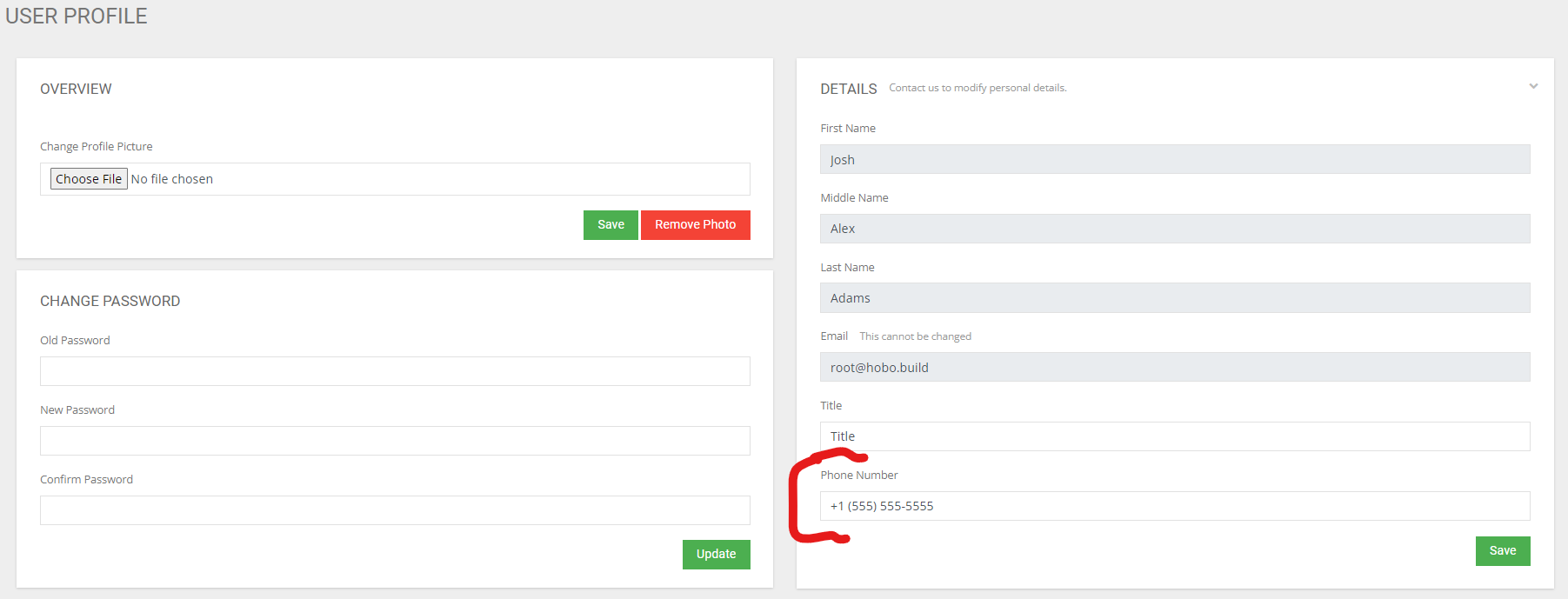
Phone number can be added or edited as shown in the box below: